

ChatGPT is powerful, but it’s not the only AI tool worth using. If you’ve hit its limits or simply want to explore what else is out there, these 7 ChatGPT alternatives might do certain tasks better, cost less, or fit your workflow more naturally.
ChatGPT has become the default AI assistant for millions of people. This is because It’s accessible, handles a wide range of tasks, and the free version works well enough for basic needs. For many users, it’s the first and only AI chatbot they’ve tried.
But relying on one tool means you might be missing better options for specific tasks. Some ChatGPT alternatives excel at real-time research, others offer longer context windows, and a few others provide advanced features completely free. Knowing other options out there helps you work smarter.
This guide breaks down 7 of the best ChatGPT alternatives available in 2026. We’ll compare features, pricing, strengths, and ideal use cases so you can find the AI tool that actually fits your needs.
If you’re a beginner exploring AI options or a professional seeking specialized tools, you’ll find practical comparisons that help you decide which alternative is Best for you in 2026.
Table of Contents
What Are the 7 Best ChatGPT Alternatives for You?
Before we move into detailed reviews, here’s a quick overview of how these ChatGPT alternatives compare. This table helps you identify which tools match your priorities at a glance.
| AI Tool | Best For | Free Version? | Starting price | Key Strength |
| Claude AI | Deep reasoning, long documents, coding | Yes | $20/month (Pro) | Superior reasoning and nuanced responses |
| Google Gemini | Research, multimodal tasks, Google integration | Yes | $20/month (Advanced) | Deep Google integration and real-time info |
| Perplexity AI | Real-time research, cited sources | Yes | $20/month (Pro) | Live web search with source citations |
| Microsoft Copilot | Seamless Microsoft ecosystem integration | Yes | $30/month (Business) | Seamless Microsoft ecosystem integration |
| Grok (X AI) | Real-time X/Twitter data, conversational tone | Limited | $16/month (X Premium+) | Access to real-time social media insights |
| DeepSeek | Cost-effective, coding tasks | Yes | API Pricing (Low Cost) | Extremely affordable with strong performance |
| Meta AI | Free access via social platforms, casual use | Yes | Free | Completely free, no limits, social platform integration |
Each ChatGPT alternative serves different needs. Some excel at research with live web access, others integrate deeply with productivity tools, and a few offer premium features completely free.
The right choice depends on what you’re actually trying to accomplish. If you need deep reasoning, you should consider Claude. For real-time research, Perplexity stands out, and for budget-conscious users, Meta AI and DeepSeek deliver without much cost.
Let us break down each alternative in detail so you can make an informed decision.
1. Claude AI: Best for Deep Reasoning and Long Documents
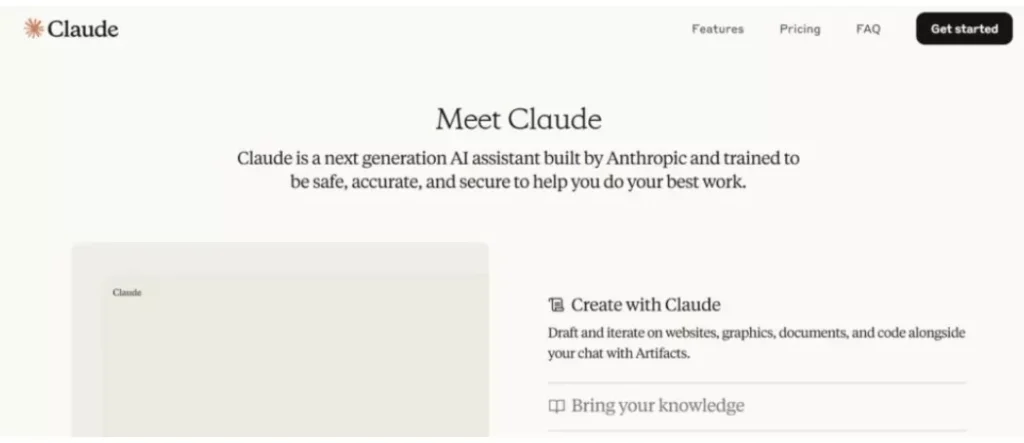
Claude is an AI assistant developed by Anthropic, designed to handle complex reasoning, nuanced conversations, and extensive document analysis. It’s one of the most thoughtful ChatGPT alternatives, known for producing well-structured, detailed responses.
Key Features
- Extended context window: Handles up to 200,000 tokens, meaning you can upload entire books or lengthy documents for analysis
- Superior reasoning: Excels at breaking down complex problems and providing step-by-step explanations
- Document analysis: Upload PDFs, spreadsheets, and other files for detailed review and summarization
- Coding assistance: Strong performance in writing, debugging, and explaining code across multiple programming languages
- Nuanced responses: Better at understanding context, tone, and subtle distinctions in conversation
Read More: Cursor AI Tutorial: Everything You Need To Know 2026
Best For
- Long-form content analysis and document review
- Complex problem-solving that requires multi-step reasoning
- Coding projects with detailed explanations
- Professional writing that requires nuance and depth
- Research tasks involving lengthy source materials
Pricing
Free tier: Available with daily usage limits
Claude Pro: $20/month for 5x more usage, priority access, and early feature releases
The free version is generous compared to most ChatGPT alternatives, making it accessible for casual users while professionals benefit from the Pro tier’s expanded capacity.
Strengths
- Context handling: Claude’s 200K token window far exceeds ChatGPT’s standard limits
- Thoughtful responses: Often provides more balanced, nuanced answers
- Document processing: Superior at analyzing lengthy files and extracting key insights
- Safety and honesty: More likely to acknowledge uncertainty rather than confabulate
- Coding quality: Many developers prefer Claude’s code explanations and debugging help
Limitations
- No built-in web search: Unlike some alternatives, Claude doesn’t browse the web in real-time (though this is changing with new features)
- Smaller user base: Less community content and fewer shared prompts compared to ChatGPT
- Usage caps: Free tier has daily limits that may restrict heavy users
- Image generation: Claude analyzes images but doesn’t create them
Verdict
Claude is the best ChatGPT alternative for anyone who values depth over speed. If your work involves complex reasoning, lengthy documents, or coding projects that require careful thought, Claude delivers consistently better results than most alternatives.
2. Google Gemini: Best for Research and Google Integration

Google Gemini is Google’s flagship AI assistant, built to compete directly with ChatGPT while leveraging Google’s massive search infrastructure and ecosystem. It’s deeply integrated with Google services and offers real-time information access that many ChatGPT alternatives lack.
Key Features
- Real-time web access: Searches Google in real-time for current information and recent events
- Multimodal capabilities: Handles text, images, audio, and video in conversations
- Google Workspace integration: Works seamlessly with Gmail, Docs, Sheets, Drive, and other Google tools
- Multiple model options: Access to different versions including Gemini Pro and Ultra for varying complexity levels
- Extensions: Connect to YouTube, Maps, Flights, Hotels, and other Google services directly
- Image generation: Built-in AI image creation through Nano Banana
Best For
- Up-to-date information and real-time research
- Deep integration with Google Workspace for productivity
- Multimodal tasks combining text, images, and other media
- Travel planning with Google Flights and Hotels integration
- Quick fact-checking and current event summaries
- Visual content creation alongside text-based tasks
Read More: Google Step Is Now Google ASDI: Check Official Updates On Google Step 2026
Pricing
Free tier: Full access to Gemini with generous usage limits
Gemini Advanced: $20/month (included with Google One AI Premium), offers access to the most capable models, priority features, and 2TB cloud storage
The free version is surprisingly robust, making Gemini one of the most accessible ChatGPT alternatives for budget-conscious users.
Strengths
- Current information: Real-time web search means Gemini always has the latest data
- Google ecosystem: If you live in Gmail, Docs, and Google services, integration is seamless
- Multimodal strength: Handles images, video, and audio better than most alternatives
- Free tier generosity: Offers more capability in the free version than ChatGPT
- Travel planning: Superior integration with flights, hotels, and maps
- Image generation: Built-in visual creation without switching tools
Limitations
- Inconsistent reasoning: Sometimes less reliable than Claude or ChatGPT for complex logic
- Privacy concerns: Google’s data practices may concern privacy-focused users
- Response quality variation: Can be hit-or-miss compared to ChatGPT’s consistency
- Context retention: Sometimes struggles to maintain conversation context over longer exchanges
Verdict
Gemini is the best ChatGPT alternative if you’re already embedded in Google’s ecosystem or need real-time information regularly. For research, current events, and productivity within Google Workspace, it outperforms ChatGPT. Just don’t expect the same level of reasoning depth you’d get from Claude.
3. Perplexity AI: Best for Real-Time Research with Citations
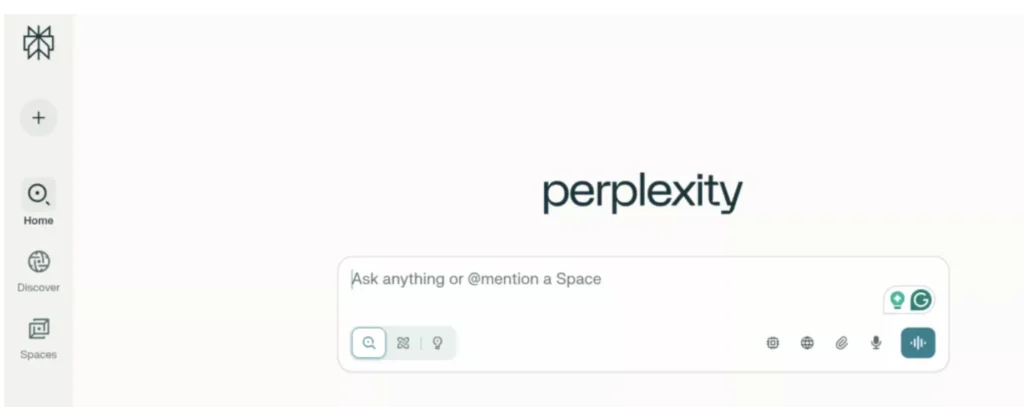
Perplexity AI is a research-focused AI tool that combines conversational AI with real-time web search and source citations. Unlike traditional chatbots, Perplexity is built specifically for finding accurate, up-to-date information and showing you exactly where that information comes from.
Key Features
- Live web search: Every response pulls from current web sources, not just training data
- Source citations: All answers include clickable references to original sources
- Follow-up questions: Suggests related questions to deepen your research
- Focus modes: Choose specific sources (Academic, Writing, Video, Social) for targeted searches
- Collections: Organize research topics and save conversation threads
- Pro Search: Deep research mode that analyzes multiple sources before answering
- File uploads: Analyze PDFs and documents alongside web research
Best For
- Academic research with verifiable sources
- Fact-checking and verification of claims
- Current events and breaking news analysis
- Comparative research across multiple sources
- Legal, medical, or technical research requiring citations
- Investigative work where source credibility matters
Pricing
Free tier: Unlimited quick searches with limited Pro Search uses (5 per day)
Perplexity Pro: $20/month for unlimited Pro Search, file uploads, and access to advanced AI models (GPT-4, Claude, and others)
The free version is genuinely useful for casual research, while Pro unlocks deeper investigation capabilities.
Strengths
- Source transparency: Every claim is backed by cited sources you can verify
- Research depth: Pro Search analyzes dozens of sources before answering
- Current information: Always pulls from the latest available web data
- Academic credibility: Citations make it suitable for research and professional work
- No hallucinations about sources: Won’t invent references like some AI chatbots
- Model flexibility: Pro users can choose which AI model (GPT-4, Claude, etc.) handles queries
Limitations
- Not conversational: Less natural for casual chat or creative tasks compared to ChatGPT
- Limited creativity: Focused on facts and research, not storytelling or brainstorming
- No image generation: Strictly a research and text tool
- Requires internet: Can’t work offline since it relies on live web search
- Free tier limits: Pro Search restriction (5/day free) can feel limiting for heavy researchers
Verdict
Perplexity AI is the best ChatGPT alternative if you need accuracy and source verification more than conversational flow. For students, researchers, journalists, and professionals who need to back up their findings with credible sources, Perplexity delivers what ChatGPT can’t really do, transparent, cited research in real-time.
4. Microsoft Copilot: Best for Microsoft 365 Integration
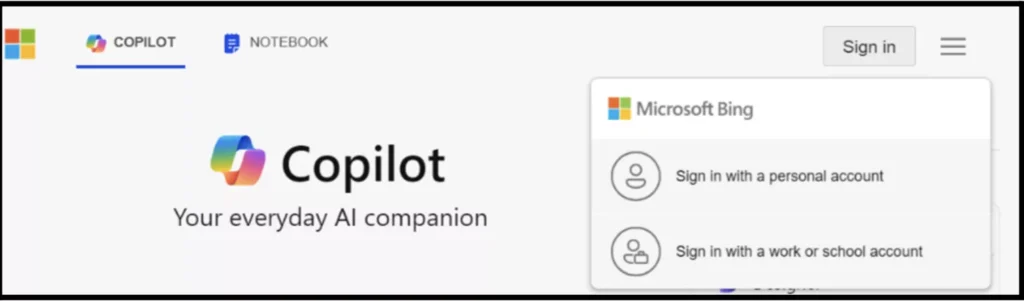
Microsoft Copilot is Microsoft’s AI assistant built directly into Windows, Edge browser, and the entire Microsoft 365 suite. It combines conversational AI with deep integration across Word, Excel, PowerPoint, Outlook, Teams, and other Microsoft products, making it a productivity powerhouse for enterprise and professional users.
Key Features
- Microsoft 365 integration: Works inside Word, Excel, PowerPoint, Outlook, and Teams
- Real-time web search: Powered by Bing for current information and research
- Document assistance: Drafts emails, summarizes meetings, creates presentations, and analyzes spreadsheets
- Enterprise security: Built with Microsoft’s security and compliance standards for business use
- Image generation: DALL-E 3 integration for creating visuals directly in conversations
- Windows integration: Built into Windows 11 for system-level assistance
- Multiple modes: Choose between Creative, Balanced, and Precise response styles
Read More: 9 Data Science Internships Opportunities in Noida
Best For
- Seamless productivity within Microsoft 365 applications
- Enterprise-level AI with security and compliance
- Email drafting and meeting summaries in Outlook
- Data analysis and visualization in Excel
- Presentation creation in PowerPoint
- Collaborative work in Teams with AI assistance
- Professional workflows already built around Microsoft tools
Pricing
Free tier: Basic Copilot access in Edge browser and Windows with limited features.
Microsoft 365 Copilot: $30/month per user (requires Microsoft 365 subscription)
Copilot Pro: $20/month for individual users with priority access and advanced features
The enterprise version requires an existing Microsoft 365 license, making it primarily a business investment rather than a casual consumer tool.
Strengths
- Workplace integration: No tool switching as AI works where you already work
- Enterprise security: Meets corporate compliance and data protection standards
- Productivity automation: Automates repetitive tasks across Microsoft apps
- Meeting transcription: Summarizes Teams meetings and extracts action items
- Excel analysis: Analyzes spreadsheets, creates formulas, and generates insights
- Email efficiency: Drafts professional emails and replies in Outlook
Limitations
- Microsoft ecosystem lock-in: Only valuable if you use Microsoft products heavily
- Expensive for individuals: $30/month enterprise pricing is steep for casual users
- Less conversational: More task-focused than ChatGPT’s open-ended conversations
- Enterprise focus: Features prioritize business use over creative or personal tasks
- Requires subscriptions: Full functionality needs both Copilot and Microsoft 365 licenses
- Limited customization: Less flexible than standalone AI chatbot alternatives
Verdict
Microsoft Copilot is the best ChatGPT alternative if you’re already working within the Microsoft ecosystem. For professionals and enterprises using Word, Excel, Outlook, and Teams daily, Copilot’s deep integration justifies the cost. But if you’re not a Microsoft user, it offers little advantage over free alternatives.
5. Grok (xAI): Best for Real-Time Social Media Insights

Grok is xAI’s conversational AI assistant, built by Elon Musk’s AI company and integrated directly into X (formerly Twitter). What sets Grok apart from other ChatGPT alternatives is its unique access to real-time data from X, giving it instant awareness of trending topics, breaking news, and social media conversations as they happen.
Key Features
- Real-time X data access: Pulls live information from posts, trends, and conversations on X
- Conversational personality: Less formal and more irreverent than traditional AI chatbots
- Breaking news awareness: Instantly aware of developing stories and viral topics
- Image understanding: Analyzes images shared in conversations
- Web search capability: Searches beyond X for broader context when needed
- Fun Mode: Responds with humor and personality, unlike more conservative AI tools
- Direct X integration: Available within the X platform for Premium+ subscribers
Best For
Grok performs for users who need:
- Real-time social media monitoring and trend analysis
- Immediate awareness of breaking news and viral content
- Understanding public sentiment on current events
- Social media marketing and content strategy
- Tracking conversations around specific topics or brands
- Less filtered, more direct AI responses
- Integration with X workflows for content creators
Pricing
Limited free access: Basic Grok features for some users (availability varies)
X Premium+: $16/month (includes Grok access plus other X Premium features like verification and ad revenue sharing)
Grok is exclusively available through X Premium+ subscription, making it less accessible than standalone ChatGPT alternatives.
Read More: Free AI Video Generator with ChatGPT 2026: Can I Make AI Video with ChatGPT?
Strengths
- Real-time social data: No other AI tool has direct access to X’s live conversation stream
- Trend awareness: Instantly knows what’s trending and why
- Personality: More willing to be opinionated and less corporate than ChatGPT
- Breaking news speed: Often aware of developing stories before traditional news sources
- Social media context: Understands internet culture, memes, and platform-specific language
- Lower cost: $16/month is cheaper than most premium AI subscriptions
Limitations
- Platform dependency: Only useful if you’re active on X
- Limited availability: Requires X Premium+ subscription, not standalone
- Narrower use cases: Best for social media tasks, less versatile than ChatGPT
- Accuracy concerns: Real-time social data can include misinformation
- Less mature: Newer than established alternatives, still developing features
- Controversial positioning: Associated with Elon Musk’s brand and X’s platform changes
Verdict
Grok is the best ChatGPT alternative if your work revolves around social media monitoring, trend analysis, or real-time content strategy on X. For marketers, journalists, and content creators who need instant awareness of what’s happening online, Grok’s unique data access is invaluable.
6. DeepSeek: Best for Cost-Effective AI and Coding
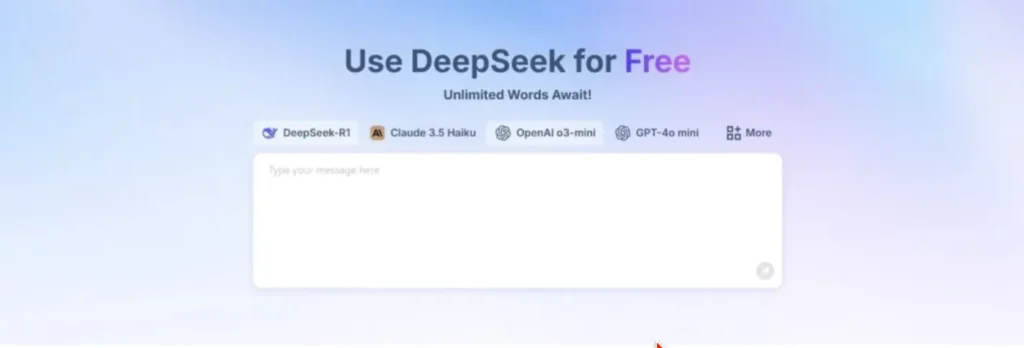
DeepSeek is a Chinese AI company offering powerful language models at a fraction of the cost of Western alternatives. Despite its lower price point, DeepSeek delivers surprisingly strong performance, especially for coding tasks, making it one of the most cost-effective ChatGPT alternatives available in 2026.
Key Features
- Affordable API pricing: Significantly cheaper than OpenAI, Anthropic, or Google’s APIs
- Strong coding capabilities: DeepSeek excels at programming tasks across multiple languages
- Open-source models: Some versions are available for self-hosting and customization
- Reasoning focus: Built to handle complex logic and multi-step problem-solving
- Math proficiency: Strong performance on mathematical and analytical tasks
- Free web interface: Basic access available without payment
- Developer-friendly: Easy API integration for custom applications
Best For
DeepSeek excels for users who need:
- Budget-conscious AI access for development projects
- Coding assistance and programming help at lower cost
- Mathematical problem-solving and data analysis
- Custom AI integrations via affordable API
- Self-hosted AI solutions for privacy or control
- High-volume API usage without breaking the budget
- Experimentation and learning without subscription commitments
Pricing
Free tier: Web interface with usage limits for basic queries
API pricing: Pay-per-token model, roughly 10-20x cheaper than GPT-4 or Claude
Self-hosting: Open-source models available for free (requires technical setup)
DeepSeek’s pricing makes it the most affordable premium-quality AI among ChatGPT alternatives, especially for developers building AI-powered applications.
Strengths
- Extreme affordability: API costs are a fraction of OpenAI’s pricing
- Coding performance: Competitive with GPT-4 for programming tasks
- Open-source options: Some models can be self-hosted for complete control
- No subscription required: Pay only for what you use via API
- Strong reasoning: Handles complex logic problems effectively
- Math capabilities: Outperforms many alternatives on quantitative tasks
Limitations
- Less polished interface: Web UI is basic compared to ChatGPT or Claude
- Smaller community: Fewer tutorials, prompts, and shared resources
- Language nuance: Sometimes less natural in conversational English
- Limited brand recognition: Less trusted than established Western AI companies
- Data privacy questions: Chinese origin raises concerns for some users and organizations
- No ecosystem: Lacks integrations with productivity tools like Microsoft or Google
Verdict
DeepSeek is the best ChatGPT alternative if cost is your primary concern and coding is a significant part of your workflow. For developers building AI applications, students on tight budgets, or anyone needing high-volume AI access without premium subscription fees, DeepSeek delivers remarkable value.
7. Meta AI (Llama): Best for Free, Unlimited Access
Meta AI is Meta’s conversational AI assistant powered by their Llama language models. What makes it unique among ChatGPT alternatives is its complete accessibility. It’s built directly into Facebook, Instagram, WhatsApp, and Messenger, giving billions of users free AI access without downloads, signups, or subscriptions.
Key Features
- Completely free: No paid tiers, subscriptions, or usage limits
- Social platform integration: Works directly in WhatsApp, Instagram, Facebook, and Messenger
- Image generation: Creates images through text prompts using Meta’s Emu model
- Real-time information: Access to current web data for up-to-date responses
- Group chat functionality: Can participate in group conversations on messaging platforms
- Multi-language support: Strong performance across multiple languages
- No separate app needed: Already embedded in apps you likely use daily
Best For
- Free AI access without any payment or subscription
- Quick answers while chatting with friends or family
- AI assistance within social media workflows
- Image generation without separate tools
- Casual AI use without commitment
- International users in regions where paid AI tools aren’t accessible
- Integration with existing messaging habits
Pricing
Completely free: No paid version, no usage caps, no hidden costs
Meta AI is funded by Meta’s broader business model, making it the only truly unlimited free option among major ChatGPT alternatives.
Strengths
- Zero cost: Completely free with no usage restrictions
- Platform integration: It is built into apps with billions of active users
- No barriers: No account creation needed if you already use Meta’s platforms
- Image generation included: Creates visuals at no cost
- Accessibility: Available in more countries and languages than many alternatives
- Group collaboration: Works in group chats for collaborative AI use
Read more:
Limitations
- Less powerful reasoning: Not as sophisticated as Claude or ChatGPT for complex tasks
- Privacy concerns: Meta’s data collection practices worry privacy-focused users
- Platform dependency: Only works within Meta’s ecosystem
- Limited features: Fewer advanced capabilities than premium alternatives
- No API access: Can’t integrate into custom applications
Verdict
Meta AI is the best ChatGPT alternative if you want completely free, unlimited AI access and already use WhatsApp, Instagram, or Facebook regularly. While it won’t match ChatGPT’s reasoning depth or Claude’s analytical capabilities, it removes all barriers to AI assistance, no payment, no separate app, no usage limits.
How Can You Choose The VerdictBest ChatGPT Alternative?
By now, you must have known that not every ChatGPT alternative is built for the same job. Some are great at writing, while others shine at research, coding, or real-time search.
If you want to choose the best ChatGPT alternative, pay attention to the steps below:
1. Start with your primary use case
Before anything else, be clear on why you need the tool.
- Writing blog posts or marketing copy? Look for tools optimized for long-form writing and tone control.
- Research or fact-checking? Go for tools with live web access and citations.
- Coding or technical work? Choose one trained heavily on code and developer workflows.
- Everyday brainstorming or casual use? Go for a simple, fast, and conversational tool.
The right alternative depends more on what you want to use it for.
2. Check output quality, not just features
Many tools promise a lot, but only few deliver consistently. Test how well the tool:
- Understands context across long conversations
- Follows instructions without drifting
- Writes in a natural, human tone
- Handles nuanced or complex prompts
If the output feels robotic or needs heavy editing, it will slow you down long-term.
3. Look at customization and control
Some ChatGPT alternatives give you more control over tone, length, and structure.
This matters if you:
- Write for different audiences
- Work with brand voice guidelines
- Need concise answers sometimes and detailed ones at other times
More control usually means better results with less prompting.
4. Consider pricing and usage limits
A tool can be powerful but impractical if it’s too expensive or heavily limited. Ask yourself:
- Is the free plan usable or just a demo?
- Are there message or word limits?
- Does the pricing scale reasonably as you use it more?
The best tool is one you can afford to use consistently.
5. Evaluate integrations and workflow fit
If the tool fits naturally into your workflow, you’ll benefit from it. Some integrate with:
- Browsers
- Writing tools
- Code editors
- Team collaboration platforms
If you experience any friction switching tabs constantly, you might want to drop it.
6. Pay attention to speed and reliability
Fast responses matter, especially when you’re working under pressure.
A good alternative should be able to:
- Load quickly
- Respond consistently
- Handle peak usage without breaking
Reliability is underrated until you lose it.
7. Test before committing
Almost every top ChatGPT alternative offers a free trial or limited access. Use it to run prompts and try extra tasks. This will help you see how it performs.
At the end of the day, the best ChatGPT alternative isn’t the most popular one. It’s the one that makes your work easier, faster, and better.
Are ChatGPT Alternatives Worth Using in 2026?

Yes, they absolutely are. In fact, for many people, ChatGPT is no longer the best tool for the job.
ChatGPT is still powerful and versatile, but the AI landscape in 2026 is no longer about one tool doing everything. It’s now about using the right tool for the right task.
And this is where ChatGPT alternatives truly prove their value.
1. Specialization has changed the game
Most ChatGPT alternatives are not trying to replace ChatGPT outright. They’re built to outperform it in specific areas. For example:
- Claude handles long documents and deep reasoning better.
- Perplexity delivers real-time research with verifiable sources.
- Gemini excels at up-to-date information and Google ecosystem workflows.
- Copilot boosts productivity directly inside Microsoft tools.
- Grok dominates real-time social media insights.
- DeepSeek offers powerful coding at a fraction of the cost.
- Meta AI removes all barriers with free, unlimited access.
If your work depends on one of these use cases, sticking to ChatGPT alone can actually slow you down.
2. Better value for money
One major reason ChatGPT alternatives are worth using in 2026 is value. Some of these tools offer:
- More generous free tiers
- Cheaper pricing for heavy usage
- Better performance in one area without paying for features you don’t need
For students, freelancers, developers, and creators on a budget, alternatives like Meta AI, Perplexity (free tier), and DeepSeek often make more sense financially.
3. Improved accuracy and transparency
Accuracy matters more than ever. Tools like Perplexity prioritize cited sources and live data, reducing the risk of hallucinations. Gemini and Copilot pull from real-time web search, making them better for current events and fast-changing topics.
When accuracy and verification matter, ChatGPT isn’t always the safest default anymore.
4. Workflow matters more than features
In 2026, the best AI tool is the one that fits naturally into how you already work. For example, if you live in Google Docs, Gemini is seamless for you, If your day runs on Excel, Word, and Outlook, Copilot will save you hours. And If you spend most of your time on WhatsApp or Instagram, Meta AI is simply more convenient.
Overall, ChatGPT remains an excellent general-purpose AI. But if you care about speed, accuracy, cost, or workflow efficiency, relying on one tool alone no longer makes sense.
Upskill with Pregrad
Pregrad is a career accelerator and upskilling platform designed to help students gain real-world skills and launch their careers before graduation.
At pregrad, you’ll learn industry‑aligned, mentor‑led programs in fields like AI/ML, data science, digital marketing, cybersecurity and more.
Learners work on hands‑on projects, attend live sessions with industry professionals, and earn recognised credentials that boost credibility with recruiters.
Pregrad also connects you with a broader career network and opportunities to accelerate your job search and career prospects.
Join pregrad today and start your career before you graduate!
ChatGPT Alternatives FAQS
Q: Are ChatGPT alternatives better than ChatGPT?
Ans: Not necessarily better overall, but often better for specific tasks. Some alternatives outperform ChatGPT in areas like real-time research, long document analysis, coding, or workflow integration.
Q: Can I use ChatGPT alternatives for free?
Ans: Yes. Many ChatGPT alternatives offer strong free plans. Meta AI is completely free, while tools like Claude, Gemini, and Perplexity provide useful free tiers with some limits.
Q: Which ChatGPT alternative is best for research?
Ans: Perplexity AI is the best choice for research because it provides real-time web results with source citations, making it ideal for fact-checking and academic work.
Q: Are ChatGPT alternatives safe to use?
Ans: Most popular alternatives are safe, but data handling and privacy policies differ. Enterprise tools like Microsoft Copilot focus on compliance, while privacy-conscious users may prefer tools with minimal data retention.
Q: Do I need to replace ChatGPT with an alternative?
Answer: No. You don’t have to replace ChatGPT. Many users get the best results by combining ChatGPT with one or two alternatives based on their specific needs.