

ChatGPT voice is getting a huge upgrade. Let’s learn what’s new in the ChatGPT voice mode, how to use voice notes, and the best ways that students can use the ChatGPT voice mode for.
If you’ve opened the ChatGPT app recently and thought, “Wait, why does the ChatGPT voice experience feel so different?” Well, you’re not imagining it.
OpenAI has quietly turned voice from a side feature into a core part of ChatGPT. You can now talk, type, see visuals, and even use real-time search in the same chat window, instead of jumping between separate screens.
In this blog, we’ll break down the ChatGPT voice update, including What exactly is ChatGPT voice mode, what’s new in the latest voice update, how to turn on ChatGPT voice on mobile and desktop and much more.
Table of Contents
What Is ChatGPT Voice?
ChatGPT voice is the feature that lets you talk to ChatGPT and hear it talk back, like a supercharged version of a voice assistant. Instead of only typing questions, you can press the mic, speak naturally, and ChatGPT replies in a realistic AI voice.
There are two main styles of ChatGPT voice mode:
1. Standard Voice Mode
This is available to all logged-in users (including free plan).
Your speech → converted to text → processed by the model → converted back to speech.
It is simpler, stable, and lighter on resources.
2. Advanced Voice Mode
It is designed for more natural, real-time conversations and it uses more expressive, human-like speech with better timing, pauses, and emotion.
It was earlier for paid users (Plus/Pro/Business/Edu), but now it is more widely accessible, including to free users with some limits.
Both ChatGPT Voice Modes lets you:
- Ask questions by voice
- Hear spoken answers
- See the full transcript of the conversation
- Switch between typing and talking whenever you want
Also Read: How To Fix ChatGPT Issue: ChatGPT Free Offer Payment Failed Error! Latest Update 2025
What’s New in the Latest ChatGPT voice update?
OpenAI’s recent releases and voice-related updates highlight a few changes.

You can also check out the official update here.
1. Voice is now Built into the Main Chat Window
Previously, when you turned on ChatGPT voice mode, you were moved into a separate “voice only” interface.
But now:
- You can talk and type in the same chat.
- As ChatGPT speaks, you can see text streaming on screen.
- You can also see visuals like images, charts, maps, and widgets (like weather, maps, etc.), while still in voice mode.
If you prefer the old style, there’s still an option to use a separate voice-only mode in settings.
2. More Natural and Expressive Voices
The recent updates focus heavily on making ChatGPT voice sound less robotic and more like a real person. It has:
- Better intonation and rhythm (more natural pauses and emphasis).
- Improved emotional expressiveness (it can sound kinder, more serious, or more playful when needed).
- Multiple distinct voices, including the earlier nature-inspired set and newer additions like the “Monday” voice that’s intentionally more sarcastic and quirky.
This is especially useful when you’re using ChatGPT to learn concepts, practice languages, or role-play interviews, because tone matters a lot in these scenarios.
Also Read: Grab A Chance For Lateral Entry In B Tech in Government Colleges [2025]: A Complete Guide
3. Longer, more Flexible Voice Sessions
Earlier, voice used to be very limited, especially for free users. But now:
- Free accounts generally get a fixed amount of voice time per day (often around 15 minutes per day, depending on region/rollout).
- Paid plans get hours of Advanced Voice Mode and often near-unlimited usage.
- OpenAI is actively expanding access and tweaking limits as capacity grows.
So if you’re planning a long study session with ChatGPT voice, paid plans will feel much smoother, but free users still get a meaningful “preview” each day.
Also Read: Grab A Chance For Lateral Entry In B Tech in Government Colleges [2025]: A Complete Guide
4. Voice + Real-Time Search + Video
Recent updates also connect ChatGPT voice with other powerful tools:
- Voice + Search: During a voice chat, you can ask ChatGPT to search the web and get fresh, up-to-date answers, all within the same conversation.
- Voice with real-time video: In certain plans (Plus/Pro/Business/Enterprise/Edu), you can use voice while your camera is on and ask ChatGPT about what it’s seeing (for example, math problems on a page, code on your screen, or a device you’re trying to fix).
- Projects & tools: Voice mode now works inside Projects and with custom GPTs in many cases, so you can talk to a GPT that’s tuned for “Interview Prep” or “Study Buddy.”
Also Read: https://blog.pregrad.in/chatgpt-new-feature-try-temporary-chat-feature/
5. “Voice Notes” & Recording-Style Features
There are now features that act very much like ChatGPT voice notes:
- On macOS, Record Mode lets Plus users record live conversations (like meetings, lectures, or personal thoughts) and turn them into editable summaries and notes.
- You can use voice to quickly dictate ideas into ChatGPT, then ask it to structure them into notes, summaries, or even blog drafts.
- For students and freshers, this basically turns ChatGPT into a smart voice note app + AI summariser in one.
Also Read: AICTE Scholarship For Technical Students: Last Date To Apply October 31, 2025
How To Turn On ChatGPT Voice Mode?
To turn on the ChatGPT voice mode, you can follow the step-by-step guide below. We have discussed the steps to turn on the voice mode on both mobile and desktop. Check it out.
1. On mobile (Android / iOS)
- Open the ChatGPT app and log in.
- Open any chat or start a new one.
- In the message box, look for:
A mic icon (for Dictate / Standard style) or
- The vertical-bar “Voice” icon for full ChatGPT voice mode.
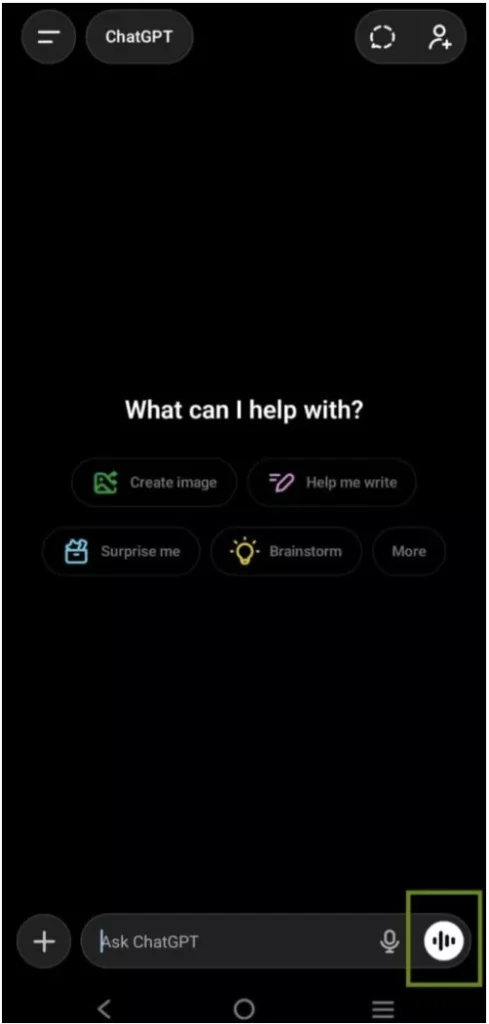
- Tap on the icon that is highlighted in the above image, then click on ‘Continue’ and follow the below steps to set up ChatGPT voice mode.
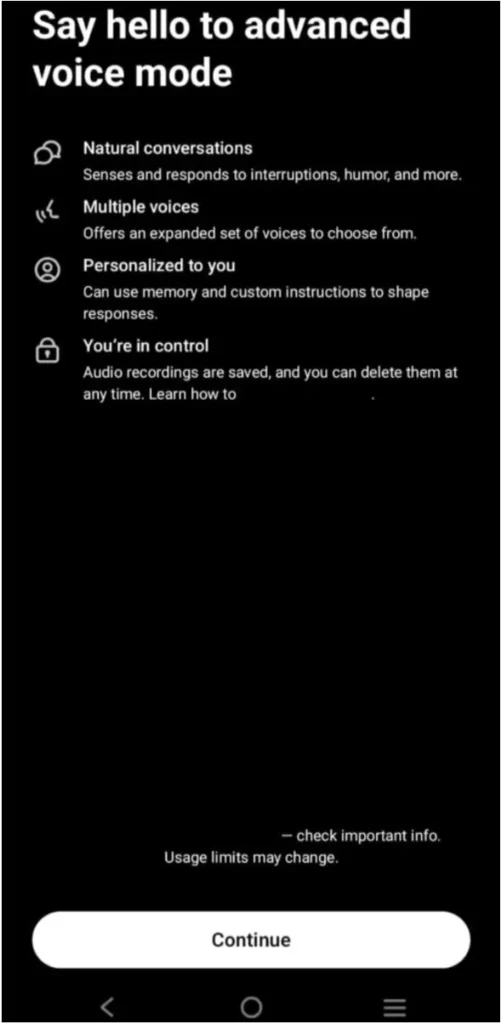
- Now, you will see an option to select the voices. Listen to the different voices that ChatGPT offers and select the one that you like. That’s it, click on ‘Done’ and you are ready to use the ChatGPT Voice mode.
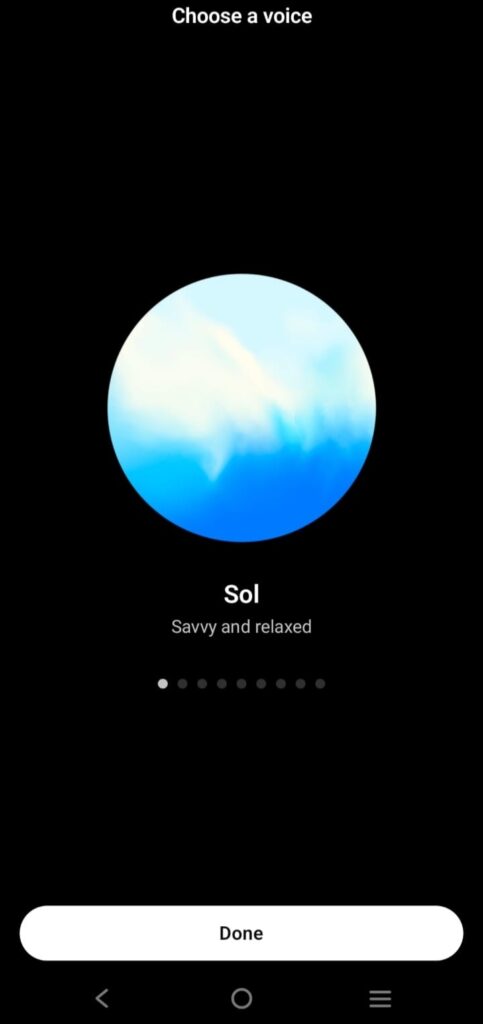
- ChatGPT will reply out loud and also show the transcript so you can read along.
If you don’t see voice:
- Open Settings and check that Voice Mode is enabled.
- Make sure your app is updated to the latest version.
- Some advanced features may roll out gradually by region.
Also Read : Is The Google Step Internship 2026 Cancelled? Latest News And Updates
2. On Desktop or Web (chatgpt.com)
- Visit chatgpt.com and log in.
- Open a chat, you will now see voice controls directly in the chat bar (no more separate full-screen interface).

- Click the icon (highlighted in the above image), then click on ‘Continue’.
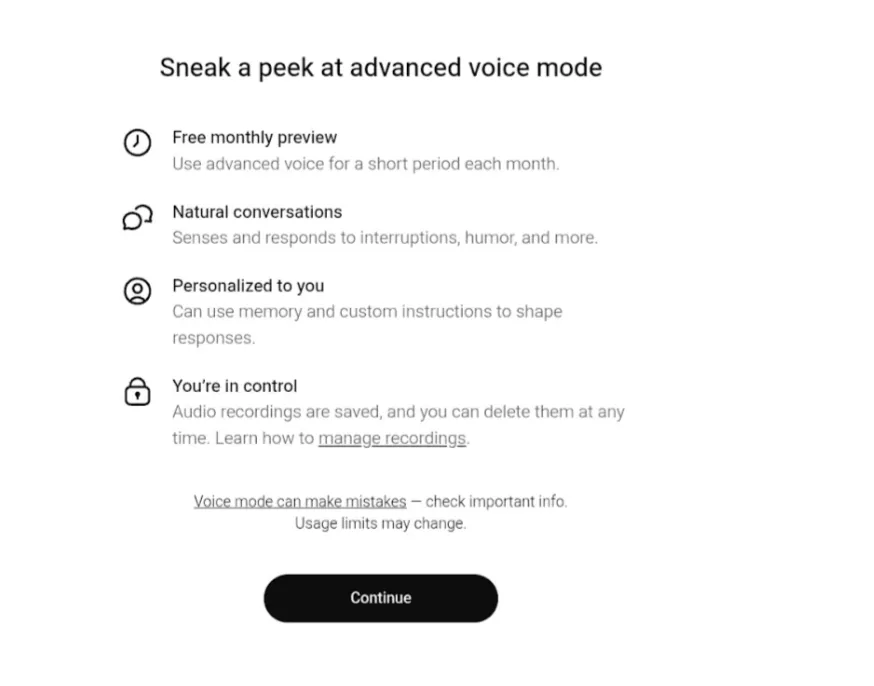
- Now, you can listen to different voices and choose a voice that you like and click on ‘Start new chat’ to start using the ChatGPT voice tool with updated features.
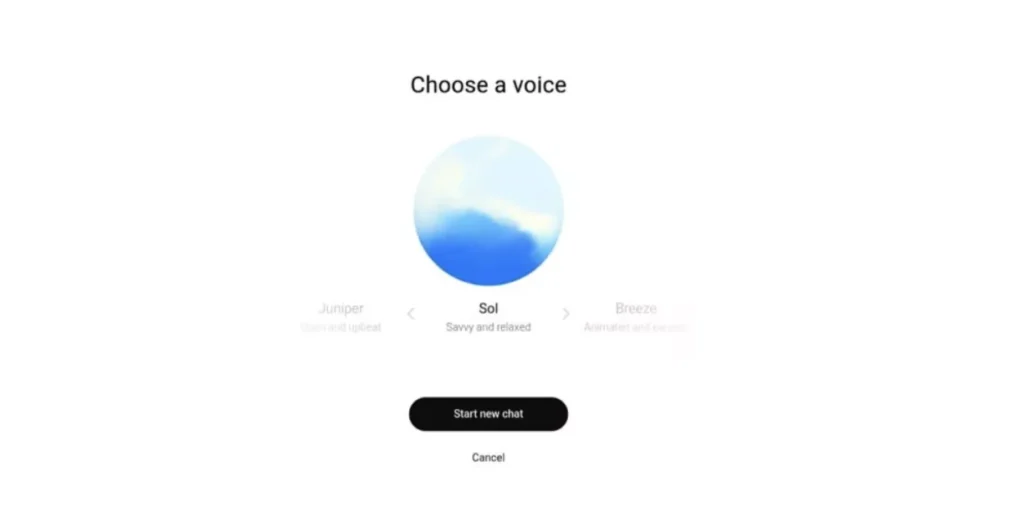
- You can mix voice and typing smoothly in the same conversation.
On macOS desktop app, you may also see Record mode to capture longer meetings or voice notes and turn them into summaries.
ChatGPT Voice vs Typing: Which Should Students Use?
Both ChatGPT voice and typing have their place. Here’s a simple comparison for you to make a better decision on which one to use.
Voice is better when you:
- Are too tired to type long questions.
- Want to think out loud and let ChatGPT help structure your thoughts.
- Need quick revision explanations while walking, commuting, or doing chores.
- Want more natural language practice (for English or other languages).
Typing is better when you:
- Need precise formulas, code, or long answers you’ll copy somewhere else.
- Want to go deep into complex questions without worrying about time limits.
- Are in a noisy environment or don’t have headphones.
You get the best results when you combinely use both. For example:
Use ChatGPT voice to talk through a tough concept. Then ask ChatGPT to give you a written summary you can save or paste into your notes.
Upskill With Pregrad🚀
If the latest ChatGPT voice update has made you curious about how AI really works, then Pregrad’s Artificial Intelligence & Machine Learning (AI/ML) Course is the perfect place to begin. This beginner-friendly program helps you understand the core AI/ML concepts, work on real datasets, build practical projects, and develop the skills companies look for in freshers.
Whether you want to enter data science, AI, analytics, or simply strengthen your tech profile, Pregrad is a platform that gives you all, a strong, industry-ready foundation.
ChatGPT Voice FAQs
Q1. What is ChatGPT voice mode?
Ans: ChatGPT voice mode lets you have a real-time, spoken conversation with ChatGPT. You talk into your mic, and ChatGPT replies with natural-sounding audio while also showing you text and visuals on screen.
Q2. Is ChatGPT voice free?
Ans: Yes, Standard Voice Mode is available to all logged-in users, including on the free plan. However, free users get a limited number of voice minutes/day and paid plans (Plus/Pro/Business/Edu) get longer or near-unlimited access, especially to Advanced Voice Mode.
Q3. Why don’t I see the new ChatGPT voice update on my account?
Ans: Some of the users have still not got the voice note update for their ChatGPT accounts. Some advanced features (like Advanced Voice Mode or voice with video) may be limited to certain plans or regions at first. But you will get the Standard Voice Mode even as a free user. So, don’t panic, rollout is usually gradual:
- Make sure your app is updated to the latest version.
- Check Settings and make sure that the Voice Mode is enabled.
Q4. Is ChatGPT voice safe and private?
Ans: Yes, it is safe to use. ChatGPT follows OpenAI’s safety and privacy rules:
- You can manage whether your chats (including voice) are used to improve models.
- Parents can set controls for teens, including turning off voice mode.
- You can delete past conversations anytime.
But still I would recommend that you don’t share extremely sensitive personal or financial details out loud with any AI, just as you wouldn’t type them into random websites.
Q5. Can ChatGPT openai text to voice?
ChatGPT is a LLM model which can provide answers only in text format or create images, graphs.